

PDF, Word & Excel viewer
SoftIcon Document Viewer
Show PDF, Word, Excel and CSV files on your pages with a block. The files open right in the visitor’s browser: no Google or Microsoft viewer, and nothing is sent anywhere.
Free
on WordPress.org
4 file types
PDF, Word, Excel, CSV
v1.0.2
latest version
Docs
guides and FAQ

What it does
PDF in the page
Pages show one below the other, sharp on phones. Only the pages near the screen load, so long PDFs open fast.
Word as real text
A DOCX file becomes real text with its headings, lists, tables and images, so visitors can search it and screen readers can read it.
Excel that looks like Excel
Sheet tabs, number, currency and date formats, merged cells, and a header row that stays in view.
CSV as a table
The first row is the header, and values stay exactly as written, so codes like 00123 keep their zeros.
No outside viewer
Nothing goes to Google or Microsoft, so it works on intranets, local sites and members-only sites.
Loads only where used
The viewer loads only on pages with the block, and only the part for that kind of file.
Why Document Viewer
A better way to do it
What changes when you use SoftIcon Document Viewer.
The usual way
Online viewers send your files to Google or Microsoft
They break on intranets, local and members-only sites
Word and Excel files end up as a download link only
Each file type needs its own plugin and its own look
Recommended
The Document Viewer way
PDF, Word, Excel and CSV in one block
Files are read in the visitor’s browser, straight from your site
Real, searchable text and real tables
Your size and your colors, with a live preview
Tour
See how it works
A quick look at the plugin on the page and in the editor.
01
PDF right in the page
A PDF on the page. The toolbar with zoom, the page number, fullscreen and Download stays in view while you scroll.

02
Word as real, searchable text
A Word file as real, searchable text, with its headings, lists, tables, images, headers and footers.
03
Excel that looks like Excel
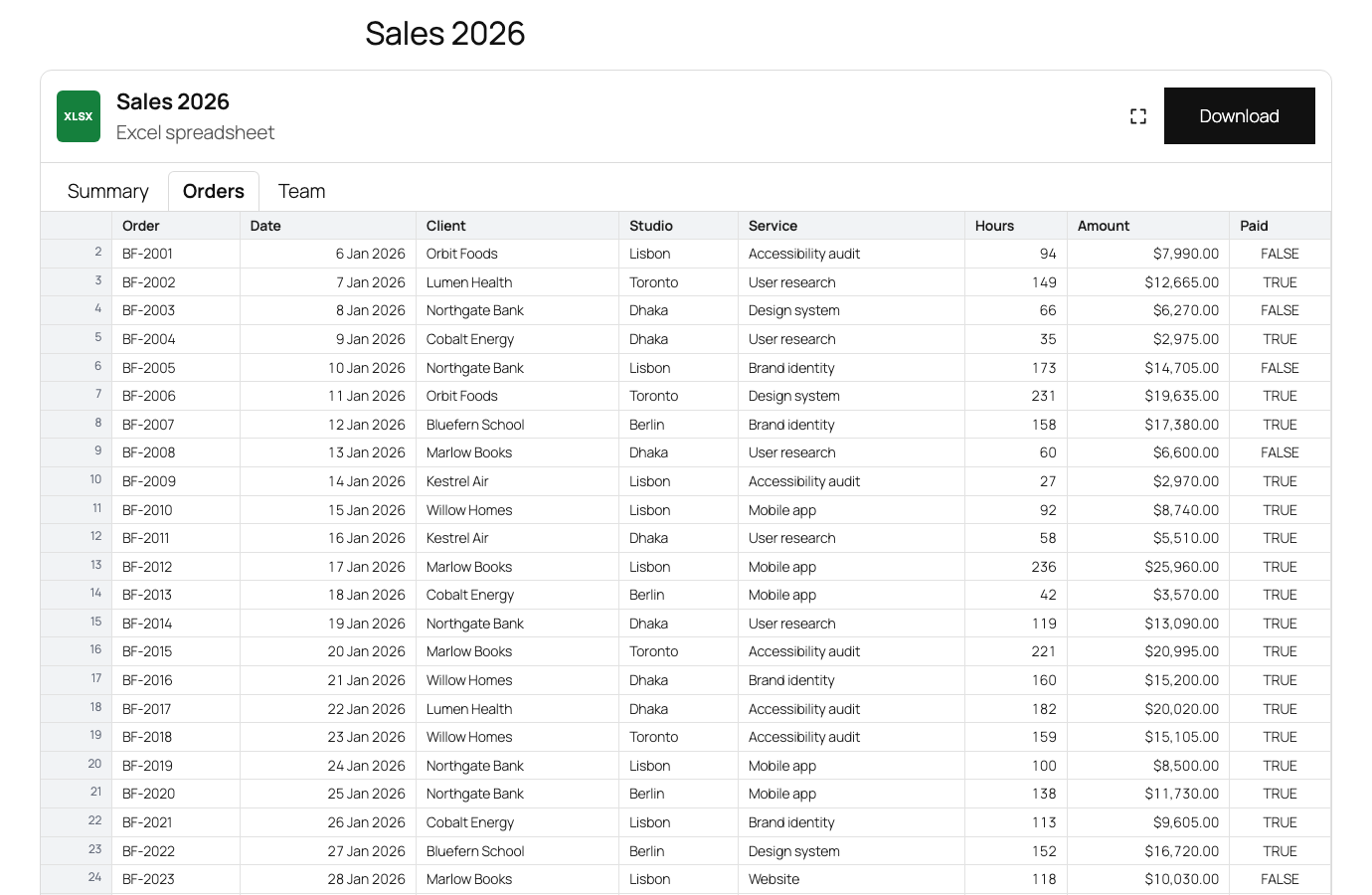
An Excel file with sheet tabs, Excel's number and date formats, and a header row and row numbers that stay in view.

04
Made for phones
On phones: PDF pages fit the screen, Word text flows to the screen width, and tables scroll sideways.
05
A live preview in the editor
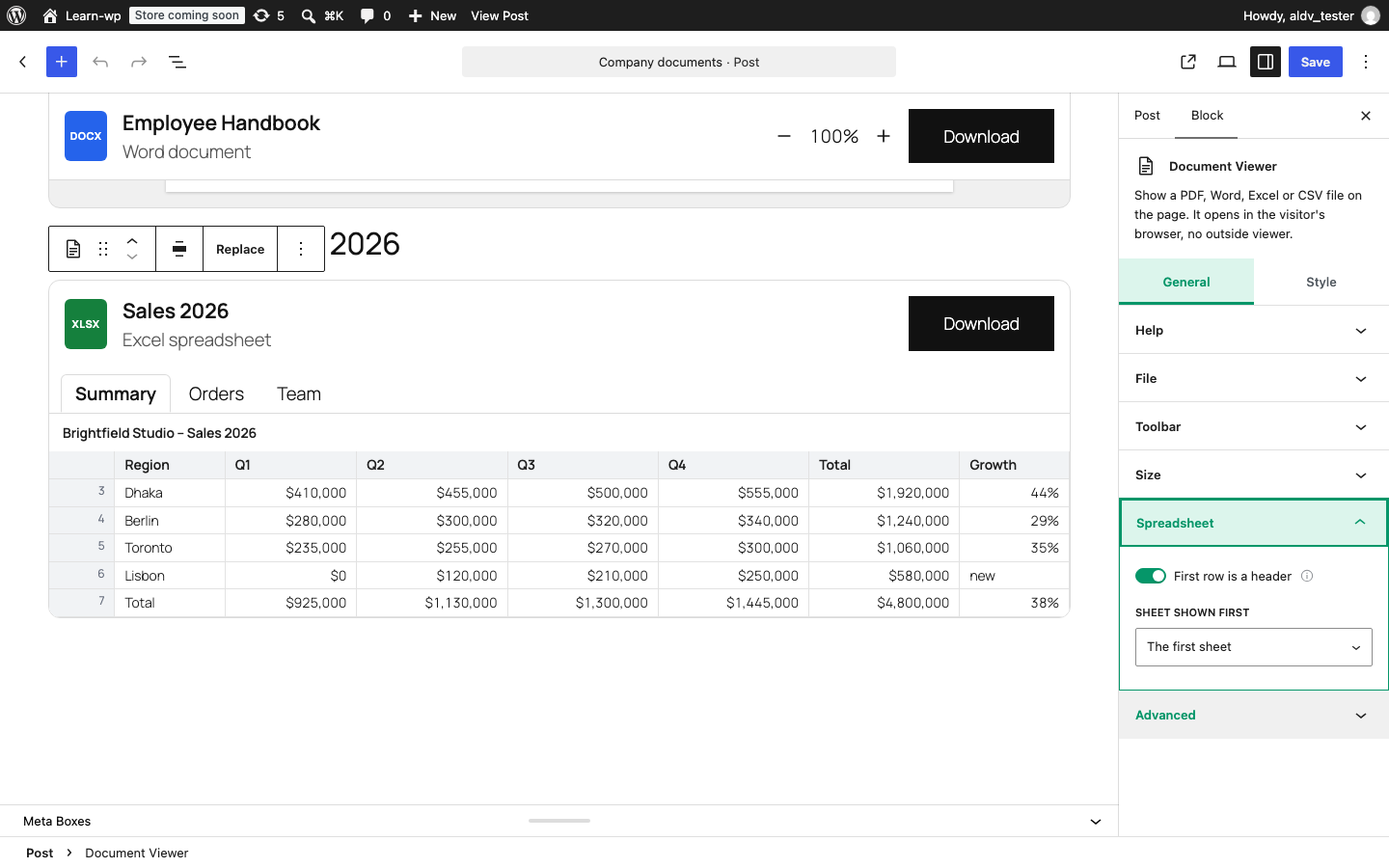
The live preview in the block editor, with the spreadsheet settings.
Screenshots
Explore the interface
The plugin on the page and in the editor, as it really looks.


Video tutorials
Watch it in action
Short videos, made by the people who build the plugin.
Document Viewer in 30 seconds
Every setting, explained
Learning materials
Learn Document Viewer in minutes
Step-by-step docs, a FAQ and short video tutorials, written by the people who build the plugin.

And there is more
Also in the free plugin:
- Pick a file from the Media Library, upload one, or paste a link
- Toolbar with zoom, page number, fullscreen and Download; turn off what you do not need
- Grows with the page, or scrolls inside a box of the height you set
- Wide and full width
- Background, border, toolbar and table header colors
- Choose which sheet of a spreadsheet opens first
- Keyboard and screen-reader friendly
- Files up to 50 MB; sheets show up to 20,000 rows
- No cookies and no tracking
Get it free from WordPress.org
Install it from your dashboard: Plugins → Add New → search “SoftIcon Document Viewer”. Questions? See the FAQ or ask in the support forum.