
Mega Menu demo
Shop menu
A store’s Shop menu: four columns of categories and a highlighted box, opened by moving the mouse over the item.
In this demo
The settings it uses
Open on: Hover
Width: Wide
Panel: four columns made with core blocks
Shadow: on
Try it yourself
Make one like it
- Add a Mega Menu item to your Navigation block.
- Click Create panel and build the panel with columns, lists and buttons.
- Keep Open on set to Hover and Width to Wide.
More demos
All Mega Menu demos
Each one shows a different set of options, free and Pro.

Agency services
An agency’s Services menu that opens on a click. The item is also a link: on phones it goes straight to the services page.

Full-width resources menu
A dark panel that spans the whole screen, with four columns of links for a software product.
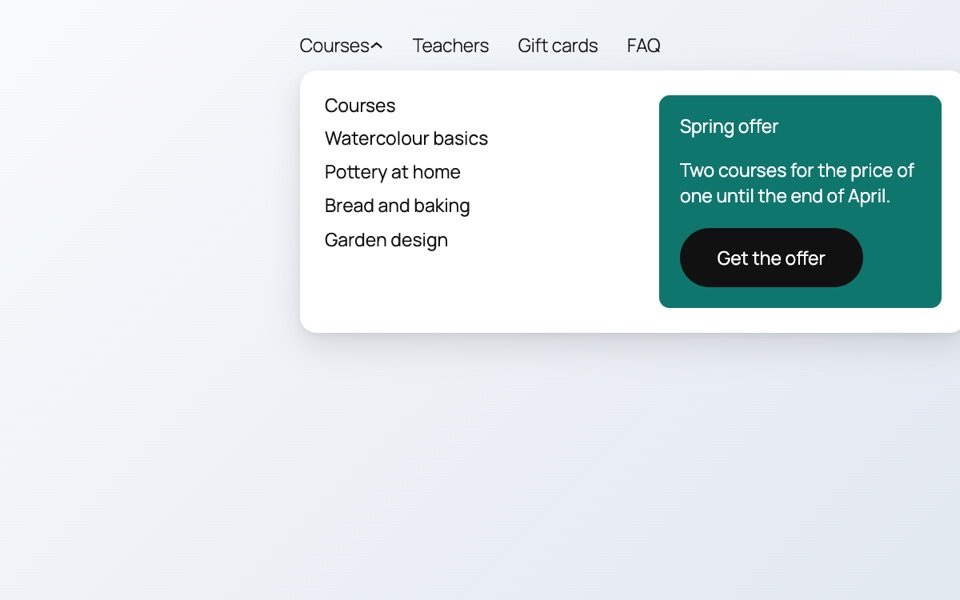
Promo column
A narrower panel lined up with its item: a list of courses next to a colored offer box.

Account card
A small card at the right end of the menu, lined up with its item. It opens on a click and works with the keyboard: Escape closes it.