
Choose how far the map is zoomed in when the page opens.
- Select the block and open the Map panel.
- Keep Show all stores at first on to open the map zoomed to fit every store.
- Or turn it off and set Starting zoom: 2 shows the world, 10 a region, 14 a town, 18 a street.
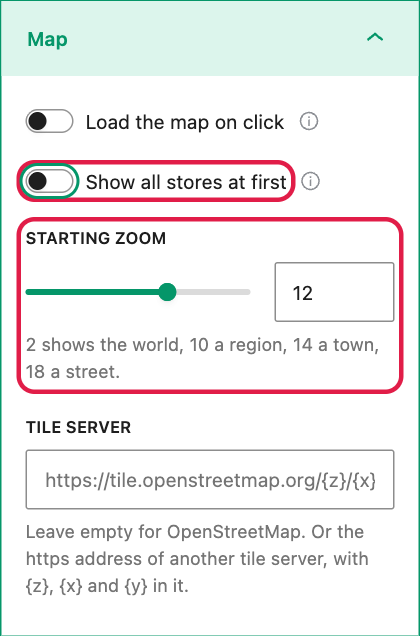
With a starting zoom, the map is centred on the store nearest the middle of all your stores, so there is always a pin in view. This suits a chain with many shops in one city, where the whole country would be too far out.
Groups of markers
Stores close together are grouped into one numbered circle, so a map with hundreds of stores stays readable. A click on a group zooms in until the stores come apart. There is nothing to turn on; you only choose the color of the groups with Groups of markers in Colors and marker.
After a search, the map moves to show the place searched and the nearest stores.