
The map pictures (tiles) come from OpenStreetMap’s own server, which is free and meant for light use. A busy site, or one that wants another map style, can use another tile server.
- Sign up with a tile provider (many have free plans) and copy its tile address. It starts with https:// and contains {z}, {x} and {y}.
- Select the block and open the Map panel.
- Paste the address in Tile server.
- Type the credit the provider asks for in Map credit. It shows in the corner of the map after the OpenStreetMap credit.
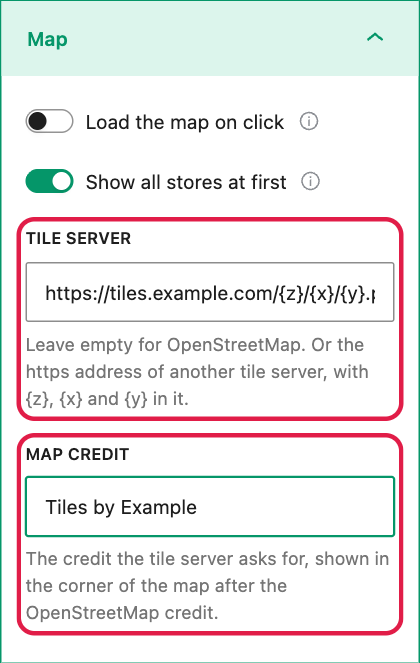
- If the address does not start with https:// or lacks {z}, {x} or {y}, the panel warns you and the map keeps using OpenStreetMap.
- Leave Tile server empty to go back to OpenStreetMap.
For developers: the whole site
The alsl_config filter sets the tile server and the place search for every Store Locator block, for example in your theme’s functions.php:
add_filter( 'alsl_config', function ( $config ) {
	$config['tiles']    = 'https://tiles.example.com/{z}/{x}/{y}.png';
	$config['credit']   = 'Tiles by Example';
	$config['geocoder'] = 'https://geocoder.example.com/search';
	return $config;
} );
The place search must answer like Nominatim’s /search (JSON) or Photon (GeoJSON).